
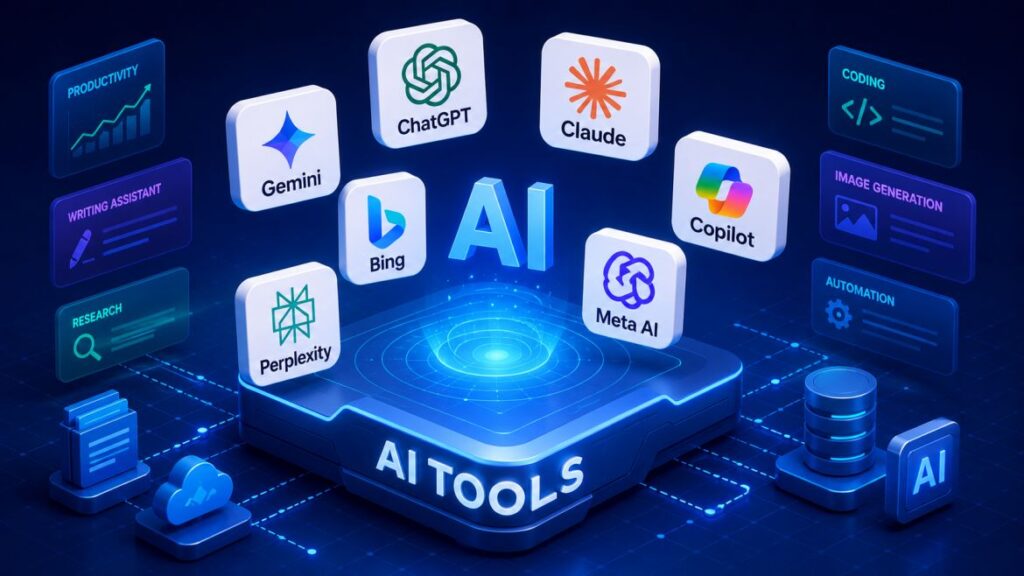

Best Free AI Tools in 2026: The Only List You’ll Actually Use
Here’s a confession: I spent the first half of 2026 drowning in AI subscriptions. ChatGPT Plus here. Claude Pro there. A random $20/month for a tool I used exactly twice. By March, my “AI stack” cost more than my Netflix, Spotify, and gym membership combined—and I wasn’t even sure I was getting better results than the free versions.So I hit reset. I spent the next few months testing every free tier I could find, separating genuinely useful tools from glorified trials. The result? A “free forever” AI stack that actually works.In 2026, free no longer means “toy version.” Some of the most advanced AI models are available at no cost—with limits, yes, but limits that still let you get real work done. The challenge isn’t finding AI tools; it’s cutting through the noise to find the ones that actually deliver.This guide covers the best free AI tools across every category—chatbots, writing, image generation, video, coding, research, and productivity. No fluff. No “free means 3 generations then paywall.” Just tools that work.
The Landscape of Best Free AI Tools in 2026
The AI ecosystem has matured rapidly. Major players like OpenAI, Google, Anthropic, and xAI offer robust free tiers, while specialized tools fill niches. What sets 2026 apart is “sustained usability”—free plans that handle real projects without immediate paywalls.
Key trend: Multimodality (text + image + audio) and better grounding to reduce hallucinations. Privacy options have improved too, with tools like Claude emphasizing data controls.
1. Best Free AI Chatbots & Writing Assistants
ChatGPT: The Everyday Brain
If you’re new to AI, ChatGPT is the easiest place to start. The free tier gives you access to GPT-5.5, web search, file and image uploads, data analysis, and image creation. It handles writing, brainstorming, coding help, summaries, and planning tasks without much setup.
What I’ve found most useful is its versatility. I use it for everything from drafting emails to cleaning up spreadsheets to analyzing PDFs. It’s the Swiss Army knife of AI tools—not always perfect, but almost always useful.
Best for: General productivity, writing, learning, brainstorming
Watch out for: Usage caps and data governance concerns
Google Gemini: The Productivity Accelerator
Gemini’s free tier is almost suspiciously generous. You get access to their 3 Flash and 3 Pro models, which handle everything from web search to image editing. But the killer feature is integration: it connects directly to Gmail, Docs, Drive, and YouTube.
Ask it to summarize a long email thread, pull key points from a Drive document, or explain what a YouTube video was actually about—all free. If your workday already runs inside Google’s ecosystem, Gemini is the natural fit.
Best for: Google Workspace users, brainstorming, summarization
Watch out for: Feature availability varies by account type, location, and device
Claude: The Deep Thinker
Claude just feels different to talk to. The responses are measured, thoughtful, and surprisingly good at creative writing. The free tier gives you access to Opus 4.6 and Sonnet 4.6, which handle long documents exceptionally well. Upload a 50-page PDF and ask for a summary—Claude handles it really well.
Claude also stands out on privacy. It encrypts your data and gives you a straightforward opt-out from AI training. (Worth doing, since they now train on user data by default.)
Best for: Long-form writing, document analysis, structured reasoning
Watch out for: Can be overly cautious or verbose
DeepSeek: The Research Powerhouse
Most chatbots give you the Wikipedia summary. DeepSeek gives you the footnotes, the counterarguments, and the context. This Chinese AI has carved out a legit niche for deep research. The free tier offers unlimited use with no usage limits.
Best for: Deep research, fact-checking, complex topics
Watch out for: Niche focus, less suitable for casual conversation
Perplexity: The Research Engine That Shows Its Work
Perplexity is the research engine that actually shows its sources. It searches the web in real-time and provides citations with every answer. For research and fact-checking, it’s often a better fit than general-purpose chatbots.
Best for: Research, fact-checking, real-time information
Watch out for: Less suited for deep creative work
2. Best Free AI Image Generators
Google Gemini
For most users, Gemini is the best free AI image generator in 2026. It offers a clear free quota, low barrier to entry, and broad image generation capabilities directly in your browser.
ChatGPT
ChatGPT is better for beginners and conversational editing. The image generation is integrated into the chat interface, making it easy to iterate and refine.
Leonardo AI
Leonardo offers higher-quality models for free-tier users, though you’re limited by daily tokens. It’s a solid choice if you need more sophisticated outputs.
Stable Diffusion 3.5 & FLUX
For users willing to handle local setup, Stable Diffusion 3.5 and FLUX offer the most control and zero daily limits. FLUX, built by Black Forest Labs, is the only major image model you can run locally for free with no daily caps.
3. Best Free AI Video Tools
Kling AI
Kling AI from Kuaishou has become one of the most capable free video generation platforms. The free tier provides around 66 credits per day, which is enough for several short clips.
HaiLuo AI
HaiLuo AI and Kling currently lead in photorealism for free-tier users. Use Kling or HaiLuo for realistic footage, Pika for stylized content, and InVideo for assembled long-form videos.
The Reality Check
No major free tier in 2026 gives you both >5 seconds and >720p without a watermark. Runway’s free plan provides a one-time deposit of 125 credits that doesn’t renew, with all videos featuring a watermark. Budget-conscious users can try Flow, Veo 3.1, and Whisk for free.
4. Best Free AI Coding Tools
OpenCode
OpenCode is the most-starred open-source coding agent on GitHub at 172,198 stars, with 75+ model providers. It’s a free, open-source terminal agent you point at your own API key.
Gemini CLI
Gemini CLI offers a generous free tier with built-in Google Search grounding, a 1M token context window, and three authentication tiers ranging from free personal use to enterprise Vertex AI integration.
GitHub Copilot (Free Tier)
GitHub Copilot offers a free tier for general use. Cursor wins for deep codebase awareness, while ChatGPT remains the best choice for explaining logic and planning complex architectures.
5. Best Free AI Productivity & Research Tools
NotebookLM
NotebookLM is one of the most underrated free AI tools right now. If you need to summarize and actually understand anything longer than a few paragraphs, this is the best tool I’ve found.
Otter.ai & Fathom
For meeting transcription, Otter.ai offers 300 minutes per month. Fathom keeps unlimited transcription but caps AI summaries at 5 per month.
Canva (with AI)
Canva’s free tier includes AI-powered design tools with 2M+ templates and image editing capabilities. The AI presentation tool generates a full deck from a single-line input.
Latenode
For workflow automation, Latenode offers a free forever plan with 2,000 credits, 20 workflows, and 10 connected accounts. It combines a visual workflow builder with custom JavaScript.
The Reality Check: What Free Actually Means in 2026
Free tiers tightened across the board in 2025–2026. ChatGPT free now shows ads (since February 2026). Major providers have restricted flagship reasoning and pro models to paid tiers.
But here’s the thing: the gap between free and paid is narrower than you think. I built a “free forever” AI stack that costs $0 but still offers the pro features people actually want—research with sources, document summaries, writing and rewriting, planning, content creation, and simple automation. It’s not identical to paying for Pro tiers, but honestly? It gets you way closer than you might think.
The truth most AI comparisons skip: large language models don’t replace thinking. They amplify it. The person using the AI tool still determines the outcome.
The Big Picture: How Free AI Tiers Compare in 2026
Before diving in, here’s a snapshot of what the major free tiers actually give you:
How to Build Your Own Free AI Stack
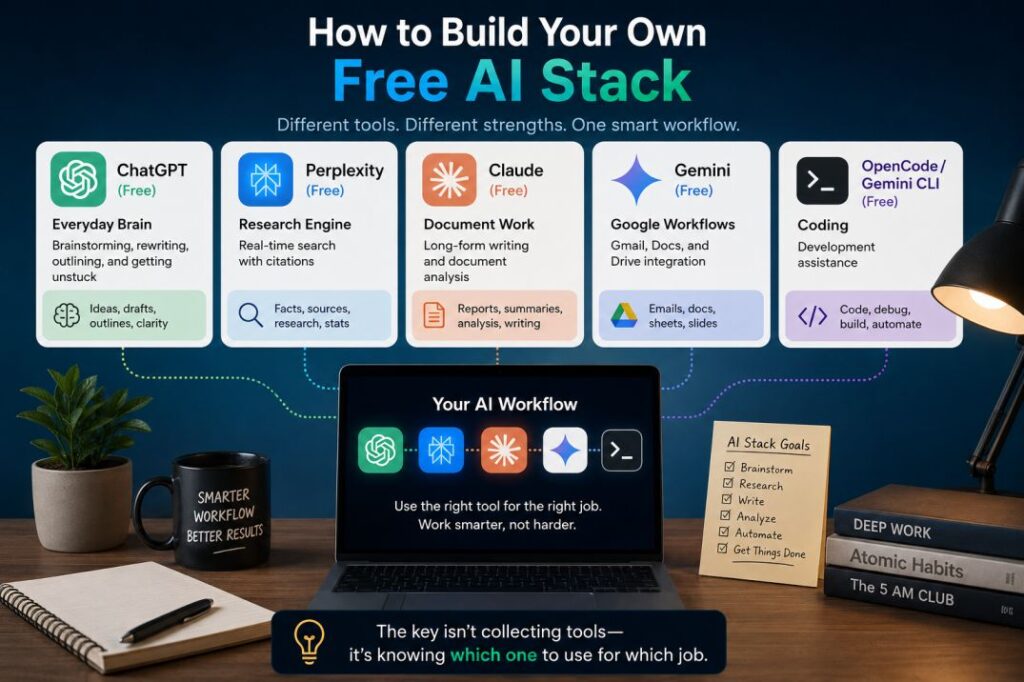
Based on my testing, here’s the stack I actually use:
- Everyday brain: ChatGPT (free) for brainstorming, rewriting, outlining, and getting unstuck
- Research engine: Perplexity (free) for real-time search with citations
- Document work: Claude (free) for long-form writing and document analysis
- Google workflows: Gemini (free) for Gmail, Docs, and Drive integration
- Coding: OpenCode or Gemini CLI (free) for development assistance
The key isn’t collecting tools—it’s knowing which one to use for which job.
Final Thoughts
The best free AI tools in 2026 aren’t the ones with the most features or the biggest names. They’re the ones that fit how you work. ChatGPT, Claude, Gemini, and Perplexity can all help you write, research, analyze, and build ideas. The real difference isn’t which model is the “smartest.” It’s which one helps you think clearly, move faster, and make better decisions.
Start with one tool. Learn it deeply. Add another only when you hit a limitation. And remember: the tools are abundant—the foundation is the part most people skip.
What’s your go-to free AI tool? Drop a comment below and let me know—I’m always testing new ones.
Want more AI insights? Subscribe to my newsletter for weekly tool reviews and productivity hacks.
Sources: eWeek, General Assembly, GitHub Awesome Free AI Tools, Latenode, Noloco, Yahoo Tech, and hands-on testing conducted throughout 2026.